Product Photography
WooCommerce Product Image Requirements in 2026
Set WooCommerce product image sizes and crops that keep products clear in catalogs, galleries, and product pages.
Learn a repeatable setup for clean white-background product photos, from lighting and phone shooting to practical catalog checks.

White-background product photos are easier to make than they look when you separate the job into three parts: prepare the item, control the light, then clean up the background without flattening the product. The goal is not to erase every shadow. It is to make the product easy to judge at a glance.
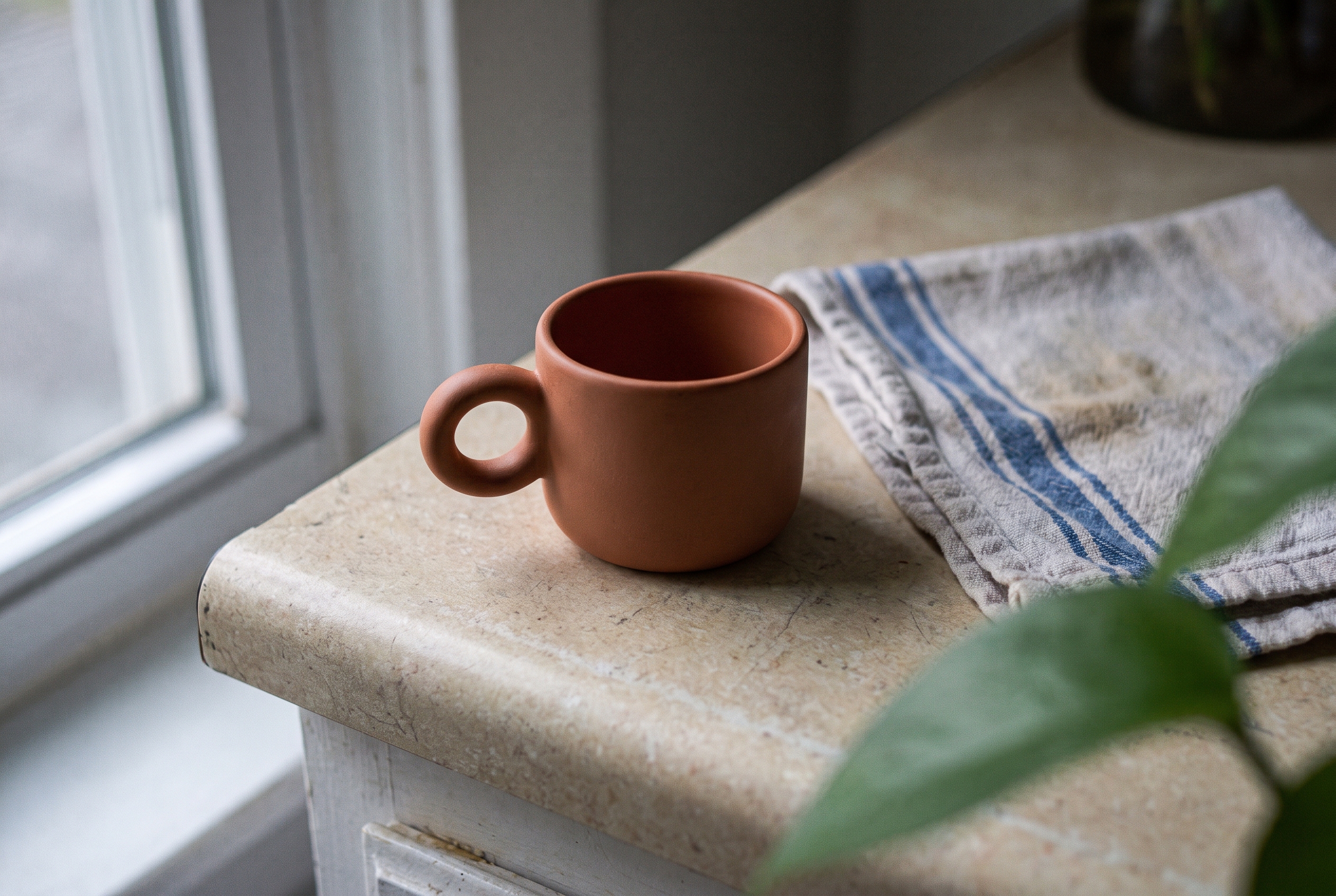
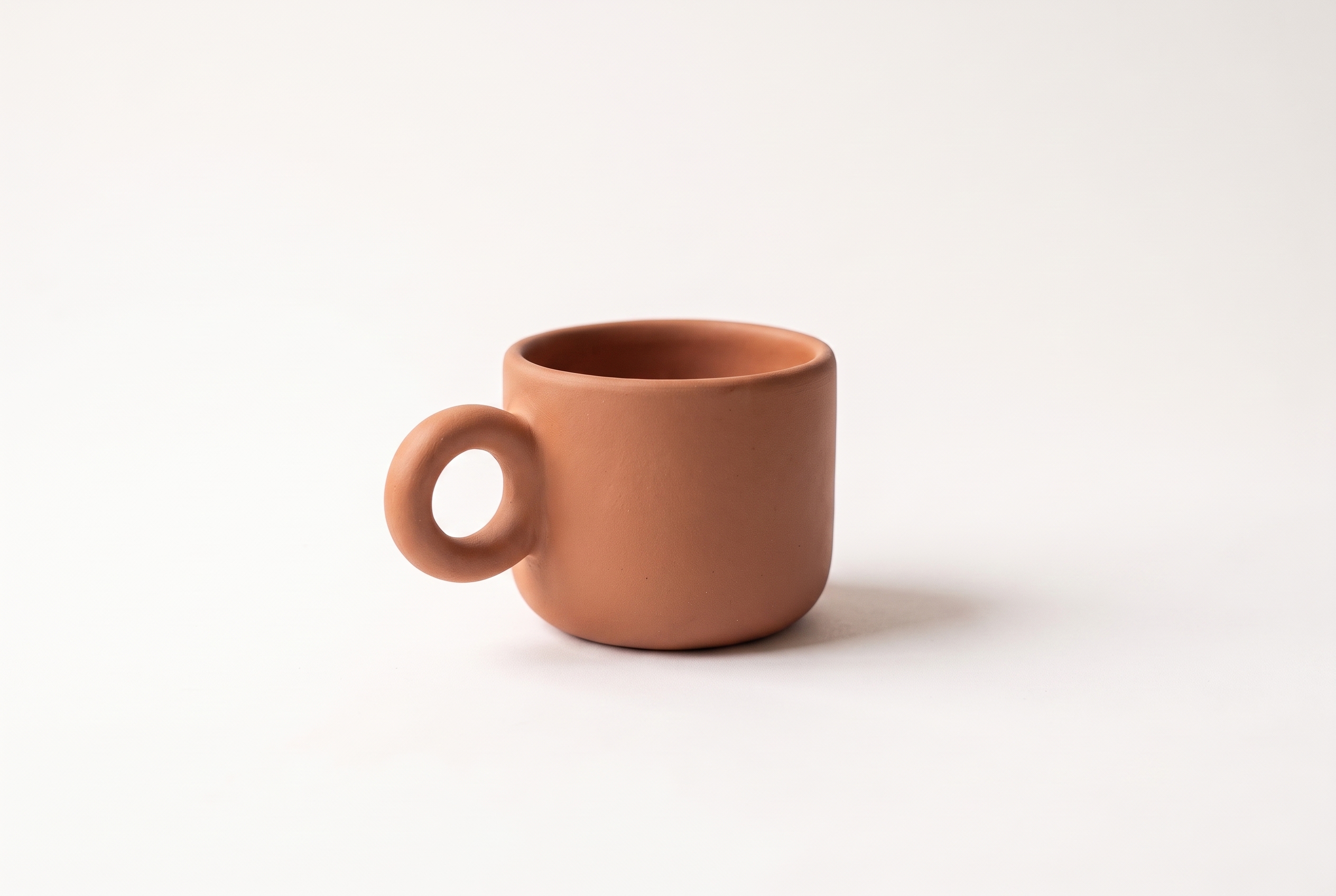
This guide shows a simple repeatable setup using a terracotta espresso cup as the example. The cup is a sample product made for this article. The same process works for home goods, accessories, beauty products, and other small items.
Use a white sweep rather than a white wall when you can. A sweep is simply a sheet of paper, fabric, or board that curves from the surface up behind the product. That curve removes the hard line where a table meets the wall. A large piece of poster board can work for small products; keep it smooth and leave enough room around the item to crop later.
Clean the product before the camera comes out. Dust, fingerprints, lint, and a crooked handle are much more obvious against white. For the cup, that means wiping the rim and turning the handle to a consistent position. For clothing, steam wrinkles. For electronics, remove protective film only if it will not be sold with the item.
Put a small piece of removable tape on the surface where the product sits. It is a simple way to return every item in a catalog to the same spot. Keep the camera height and focal length fixed until the batch is complete.
Place the product about 12 to 24 inches in front of the backdrop. That gap gives you room to light the background separately and helps stop bright spill from wrapping around the edges of the product. Start with one large, diffused light slightly above and to one side of the camera. A window with a sheer curtain or a softbox both work well.
On the darker side, add a white foam board as a reflector. Move it closer until you can see detail without losing the product’s shape. The cup should still have a gentle shadow below it; that contact shadow tells a shopper the item is real and shows where it sits.
If the backdrop looks gray, light the backdrop rather than turning up the front light. Aim a second light at the background, not at the product. Check the image at normal viewing size. If the rim, light-colored details, or glossy edges begin to disappear, reduce the background light. A white background should not make a white product vanish.
For a small catalog, take at least a front or three-quarter view, a side or rear view when useful, and a close detail shot. Keep lifestyle photos separate from the clean primary image. Google Merchant Center says the main image link should point to the product’s primary image and provides separate fields for additional and lifestyle images.
Editing is for cleanup, not for changing the product. Start by correcting exposure and white balance so the product color matches the real item. Then remove small distractions and even out the backdrop. Preserve a soft shadow directly beneath the item; deleting it completely can make a cup, shoe, or bottle look like it is floating.
Here is the practical before-and-after test: compare the product outline, color, texture, and proportions. If the product itself has changed, the edit went too far. For this sample, the terracotta glaze and round handle remain while the countertop and clutter are removed.

Use this quick check before uploading:
For Merchant Center, Google currently requires product images of at least 500 by 500 pixels and recommends around 1500 by 1500 pixels or larger for best performance across listing formats. Check the current image-link requirements in Merchant Center Help before changing a feed, because platform requirements can change.
The advice is straightforward: give shoppers a clean main image that proves what they will receive, then use extra images to answer the questions a flat front view cannot. FD Photo Studio’s white-background lighting guide is a useful reference for light placement and reflection control when you are building a physical setup.
Save the setup as a short checklist: backdrop size, camera height, product distance, light placement, and export dimensions. Photograph one approved item at the start of each session and compare the next items to it. That reference prevents a catalog from drifting warmer, darker, or more tightly cropped over time.
When the work becomes repetitive, Agerta can help turn incomplete product listings into finished product pages, including product photos, descriptions, and the routine checks that keep a catalog consistent. Start with the product and the rules you want followed; review the output before it goes live.
For more practical image guidance, browse the Product Photography category. A reliable white-background image is not the only image a product needs, but it is often the clearest starting point.
Your agentic office
Your Store Manager finds products missing photos, descriptions or details, writes titles and descriptions in every language you sell in, and prepares product photos and videos for your Shopify or WooCommerce store. Store changes wait for your approval until you let routine updates through.
Product Photography
Set WooCommerce product image sizes and crops that keep products clear in catalogs, galleries, and product pages.
Product Video
Use this product video checklist to plan clear listing clips that answer buyer questions, show real product details, and work on mobile.
Store Automation
Learn which product data audit checks to automate, which need human review, and how to fix listing gaps across an online store.