
Store Automation
Product Listing Audit Checklist: 12 Things to Check
Use this product listing audit to find missing images, facts, and channel data before shoppers do.
Learn which product data audit checks to automate, which need human review, and how to fix listing gaps across an online store.

Product data audits catch the gaps that make a listing hard to find, hard to trust, or ineligible for a sales channel. Automation can scan every SKU for missing fields and mismatches. A person still needs to judge the claims, images, and language that a rule cannot safely approve.
The practical answer is not manual versus automated. Use automation to find the work, then give people the small set of decisions that need context. This comparison shows how to split that work without turning an audit into a spreadsheet project.
An automated audit checks defined conditions across a catalog. It can flag an empty description, a missing image, an unavailable variant, or a price that does not match a feed. This is the right first pass when the same rule applies to hundreds of products.
A manual audit checks whether the product information answers a buyer. It asks if the title says what the item is, whether an image proves scale, and whether size, material, or use details make sense together. It also catches awkward wording and a photo that feels wrong for the brand.
Google makes the split clear. Its product data specification says inaccurate, missing, or conflicting information can limit eligibility or cause disapprovals. Those are strong candidates for automated checks. The same guidance cannot decide whether a product description makes a shopper confident. That call needs review.
| Question | Automated audit | Manual audit |
|---|---|---|
| Is a required field blank? | Excellent | Slow at scale |
| Does price or availability conflict? | Excellent | Useful for spot checks |
| Is the title clear to a shopper? | Can flag length or duplicates | Best choice |
| Does the image explain the product? | Can detect a missing asset | Best choice |
| Is the listing ready for a new market? | Can find missing translations | Best choice for local language and units |
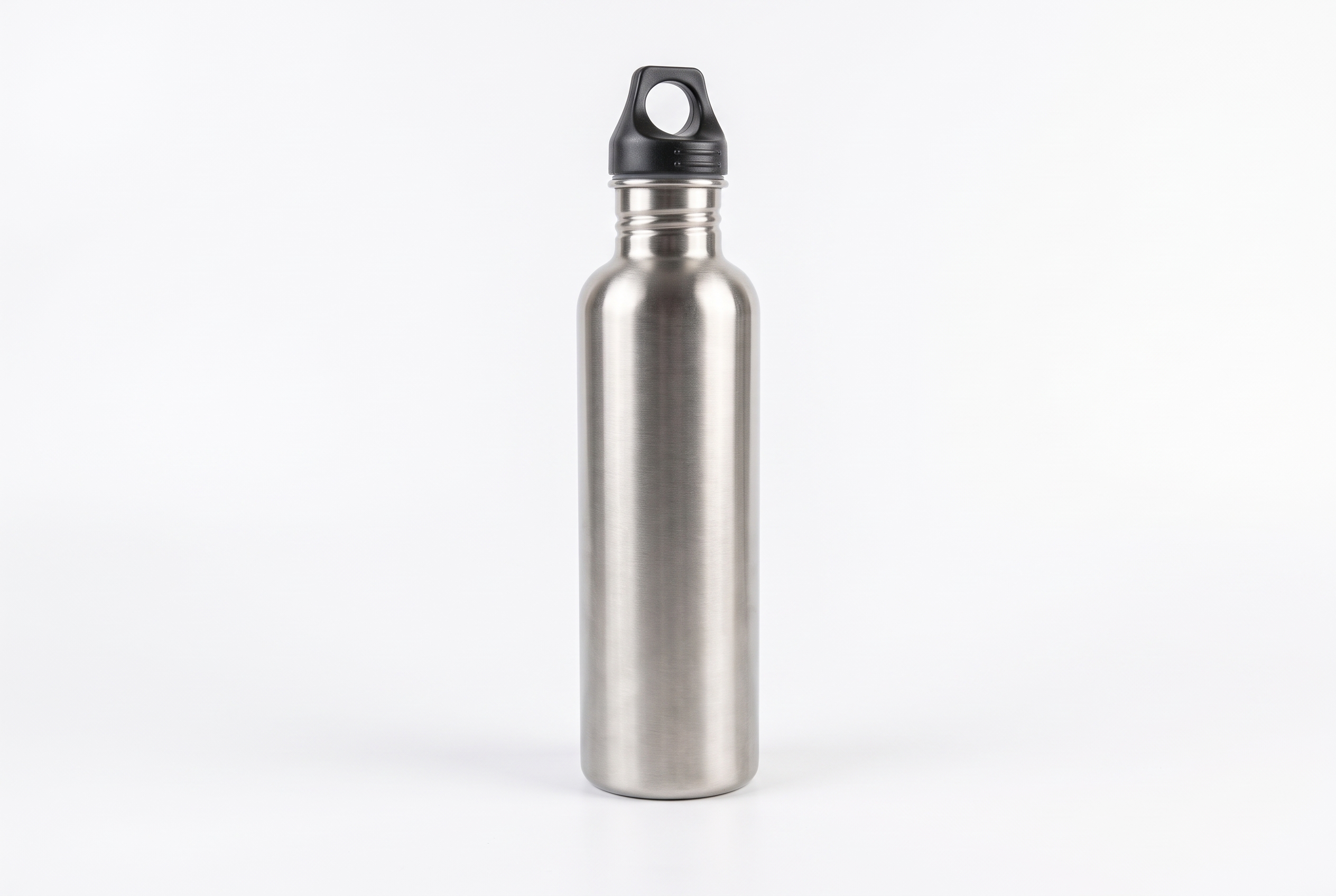
This stainless steel water bottle is a sample made for this article. The first image is the kind of phone photo that often reaches a store before the listing is finished. It shows the product, but the counter clutter competes with it and gives no clear use context.
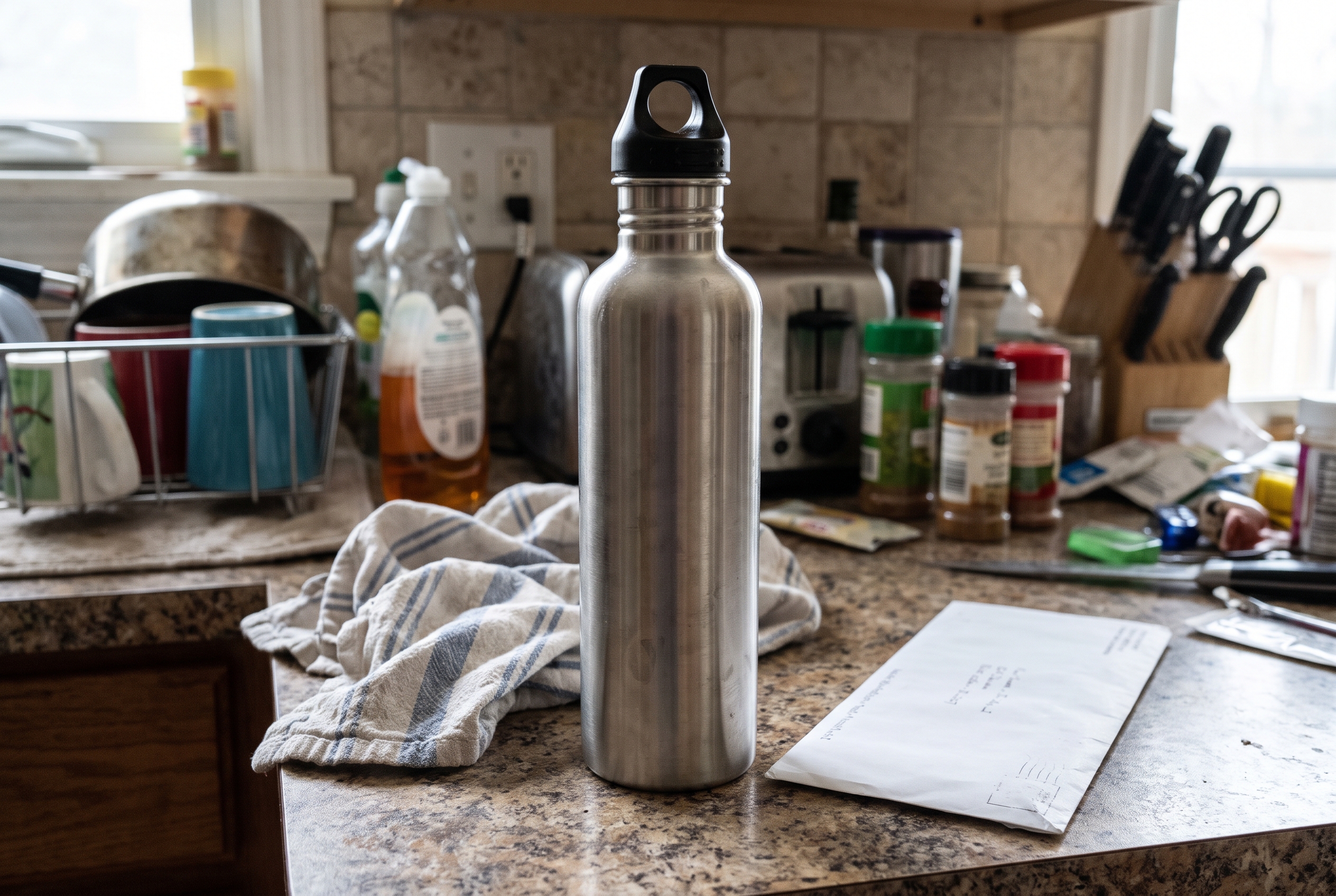
An automated audit should mark this SKU for review if the main image fails a store rule such as a missing clean product view. A reviewer then decides what the listing needs. For this product, a clean catalog shot makes the shape and finish easy to inspect.
The third asset has a different job. A lifestyle image helps a shopper picture use, but it should not replace the clean main image. The audit rule is simple: every product needs the required catalog view first, then supporting images that answer a buying question.

Photo checks should sit beside copy checks. A useful water bottle listing states capacity, dimensions, material, lid type, care instructions, and whether it is insulated. It should not claim a temperature-retention time unless the store can support it. The same discipline improves Shopify product titles: facts first, decorative wording last.
Start with rules that have a clear pass or fail. Flag products with no primary image, short descriptions, duplicate titles, missing dimensions, missing variants, or a feed price that differs from the product page. These checks produce a queue, not a final verdict.
Then sort the queue by customer impact. A missing image on a best seller should come before a wording improvement on a low-traffic accessory. Group related failures too. If many variants are missing size or color, the issue probably starts in the product data source, not on individual pages.
Keep people on claims, tone, localization, and visual judgment. A reviewer can see that a translated size label does not match local units, or that two images show different finishes. That matters when expanding into new markets, as the ecommerce localization checklist explains.
Google allows Merchant Center automations to update some landing-page data for price, sale price, availability, and condition. Its guidance also says these automations do not replace regular product data updates. Read the Merchant Center automation guidance before treating an automatic correction as a complete audit.
For products sold through Google, check the page markup too. Google’s product structured data documentation explains that merchant listing markup can provide details such as price, availability, sizing, shipping, and returns for eligible experiences. Treat markup as one more data surface to compare, not a separate project.
A monthly manual audit works for a small, stable catalog. A changing catalog needs a lighter daily or weekly scan, followed by review of new exceptions. The goal is not to generate a long error report. It is to give each product the facts, images, and claims it needs before a buyer or a channel exposes the gap.
For a fuller set of checks, use the product listing audit checklist and the Store Automation category. Agerta can find missing assets and product details, prepare the work for review, and apply it using the rules a store sets.
Your agentic office
Your Store Manager finds products missing photos, descriptions or details, writes titles and descriptions in every language you sell in, and prepares product photos and videos for your Shopify or WooCommerce store. Store changes wait for your approval until you let routine updates through.
Store Automation
Use this product listing audit to find missing images, facts, and channel data before shoppers do.
Product Video
Use this product video checklist to plan clear listing clips that answer buyer questions, show real product details, and work on mobile.
Product Photography
Set WooCommerce product image sizes and crops that keep products clear in catalogs, galleries, and product pages.