
Store Automation
Manual vs Automated Product Data Audits
Learn which product data audit checks to automate, which need human review, and how to fix listing gaps across an online store.
Use this product listing audit to find missing images, facts, and channel data before shoppers do.
A product listing audit finds the missing details that stop a shopper from trusting a product page. Run it against one product first, then turn the checks into a repeatable queue for the rest of the catalog.
Do not start by changing titles. First decide what a finished listing needs to contain. The list should work for the storefront, the shopping feed, and any marketplace where the item appears. It should also separate facts from sales copy. A material, size, color, and care instruction are facts. A benefit-led description explains why those facts matter to a buyer.
Use one row per SKU or variant. Add columns for the checks below, an owner, a due date, and a status. A blank cell is a problem to fix, not a note to revisit later. This makes the product listing audit useful to a small team without adding another meeting. More catalog workflows sit in the Store Automation category.
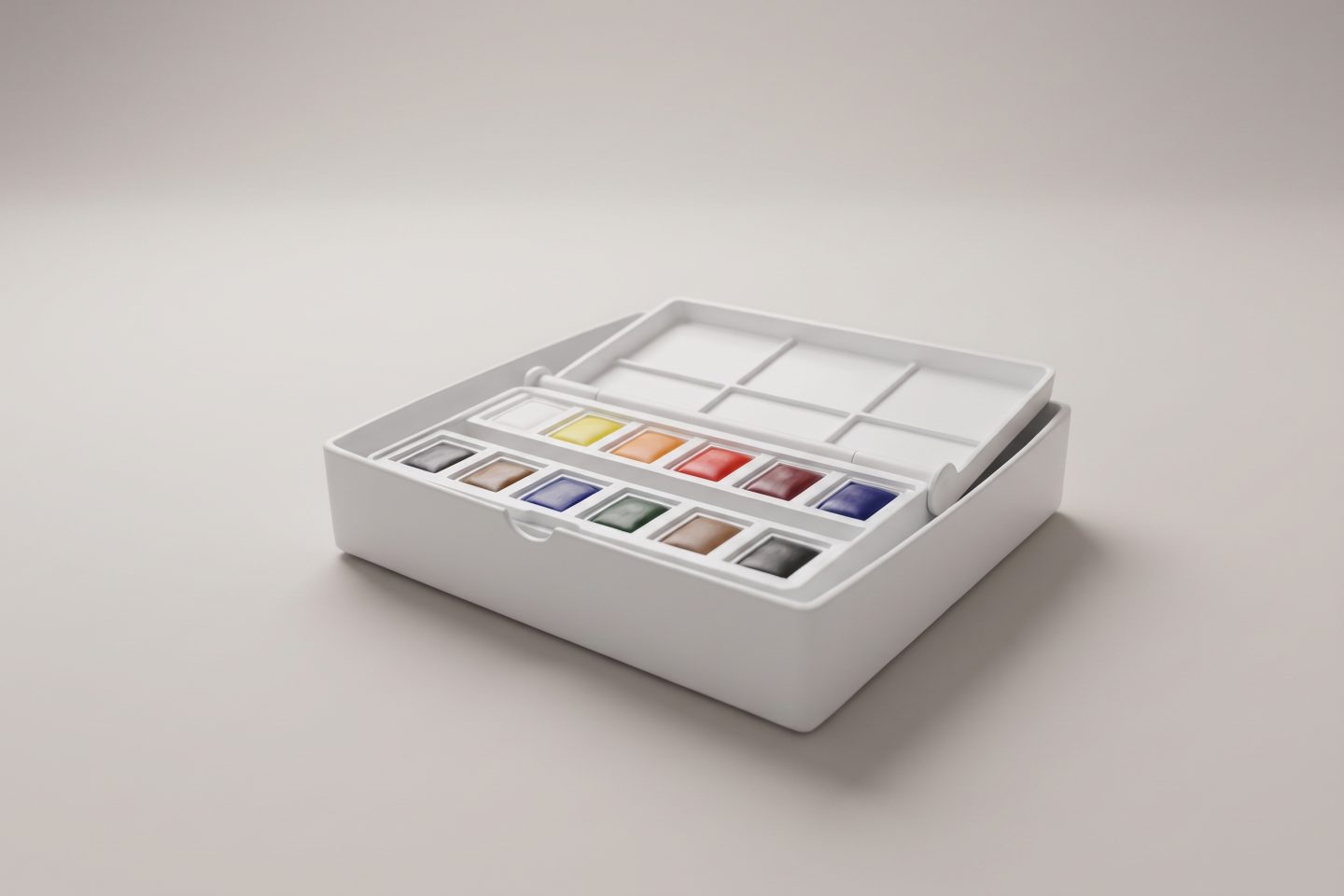
The examples below use a sample watercolor paint set made for this article. It starts as an ordinary phone photo and becomes a set of listing assets with a clear job for each image.

1. Main image: Can a shopper identify the item in one second? The first image should show the actual product, not a collage or a busy scene. Check that the item is centered, sharp, and not cut off.
2. Image coverage: List the buying questions that visuals can answer: scale, angle, texture, what comes in the box, and how the item is used. Add one image for each unanswered question instead of uploading near-duplicates.
3. Image-to-product match: Compare every image with the selected variant. A blue variant should not inherit a photo of a green one. This catches a common catalog mistake after an assortment update.
4. Accessible alt text: Add short alt text that says what the image shows. The product image alt text checklist covers a practical way to write it. Alt text should describe the product, not repeat a file name.

5. Product details in images: Use a close view when a buyer needs to inspect the contents or finish. The image does not replace specifications, but it helps a shopper confirm what the copy says. For products that need a neutral lead image, see how to take white-background product photos.

6. Title: Put the item type and the differentiating attribute near the start. Avoid a title that only says a brand and a vague product name. For this sample, “Watercolor Paint Set with 12 Pans and Brush” tells a buyer far more than “Artist Set.”
7. Description: Read the first paragraph as if the shopper cannot see the product. It should say what the item is, who it suits, and the most useful fact. Then use bullets for materials, size, care, compatibility, or contents. For a tighter writing process, use this guide to product description length.
8. Variant attributes: Audit color, size, pack count, material, and identifiers at the variant level. Do not copy a parent description that hides a meaningful difference. A pack of twelve and a pack of twenty-four need different facts even when the product photo looks similar.
9. Claims and proof: Flag unsupported claims such as “non-toxic,” “waterproof,” or “best-selling.” Replace a broad claim with a specific fact the store can support. This keeps a product listing audit from turning into a copy refresh that creates risk.
10. Product data on the page: Make sure the visible page has the same core facts as the data sent elsewhere. Google explains that product structured data can make information such as price, availability, ratings, shipping, and more eligible for richer appearances in Search. Review the Google product structured data guidance with the person who manages the site template.
11. Merchant listing fields: A product page that sells an item needs complete buying information, not just a polished description. Google’s merchant listing documentation explains how product information, apparel sizes, shipping details, and return policies can be supplied. Check the store’s implementation rather than assuming an app added every field.
12. Channel consistency: Compare title, price, availability, images, and key attributes across the storefront and the feed. A product listing audit should identify the source of truth for each field. Otherwise a fix in one system becomes a mismatch somewhere else.

Do not fix the catalog alphabetically. Start with products that are live, in stock, and missing a core buying answer. A missing image, a wrong variant detail, or no usable description comes before a minor wording change. Next, group similar fixes together. One image brief can solve the same gap across a collection. One attribute rule can clean up every item that uses the same size format.
Use a simple review step before publishing. Someone checks the product facts, another person checks the visual and copy, then the update goes live. This is where a catalog workflow earns its keep: routine items can move quickly while unusual products get a closer look. Agerta can find incomplete listings, prepare photos and descriptions, and keep changes inside the approval rules a store sets.
Run the audit after a new collection launch, a supplier file import, or a major feed cleanup. The result is not a score for its own sake. It is a list of specific product work that removes doubt before a shopper leaves the page.
Your agentic office
Your Store Manager finds products missing photos, descriptions or details, writes titles and descriptions in every language you sell in, and prepares product photos and videos for your Shopify or WooCommerce store. Store changes wait for your approval until you let routine updates through.
Store Automation
Learn which product data audit checks to automate, which need human review, and how to fix listing gaps across an online store.
Product Video
Use this product video checklist to plan clear listing clips that answer buyer questions, show real product details, and work on mobile.
Product Photography
Set WooCommerce product image sizes and crops that keep products clear in catalogs, galleries, and product pages.