E-commerce SEO
Google Shopping Image Requirements in 2026
Prepare product images for Google Shopping with the right size, clean main photo, crawlable URL, and useful extra views.
Use this product image alt text checklist to write clearer image descriptions that help shoppers and give search engines useful context.
Product image alt text should tell a shopper what a photo shows when the photo is unavailable. It also gives search engines useful context. For an online store, the best description is specific to that one image, not a copied product title.
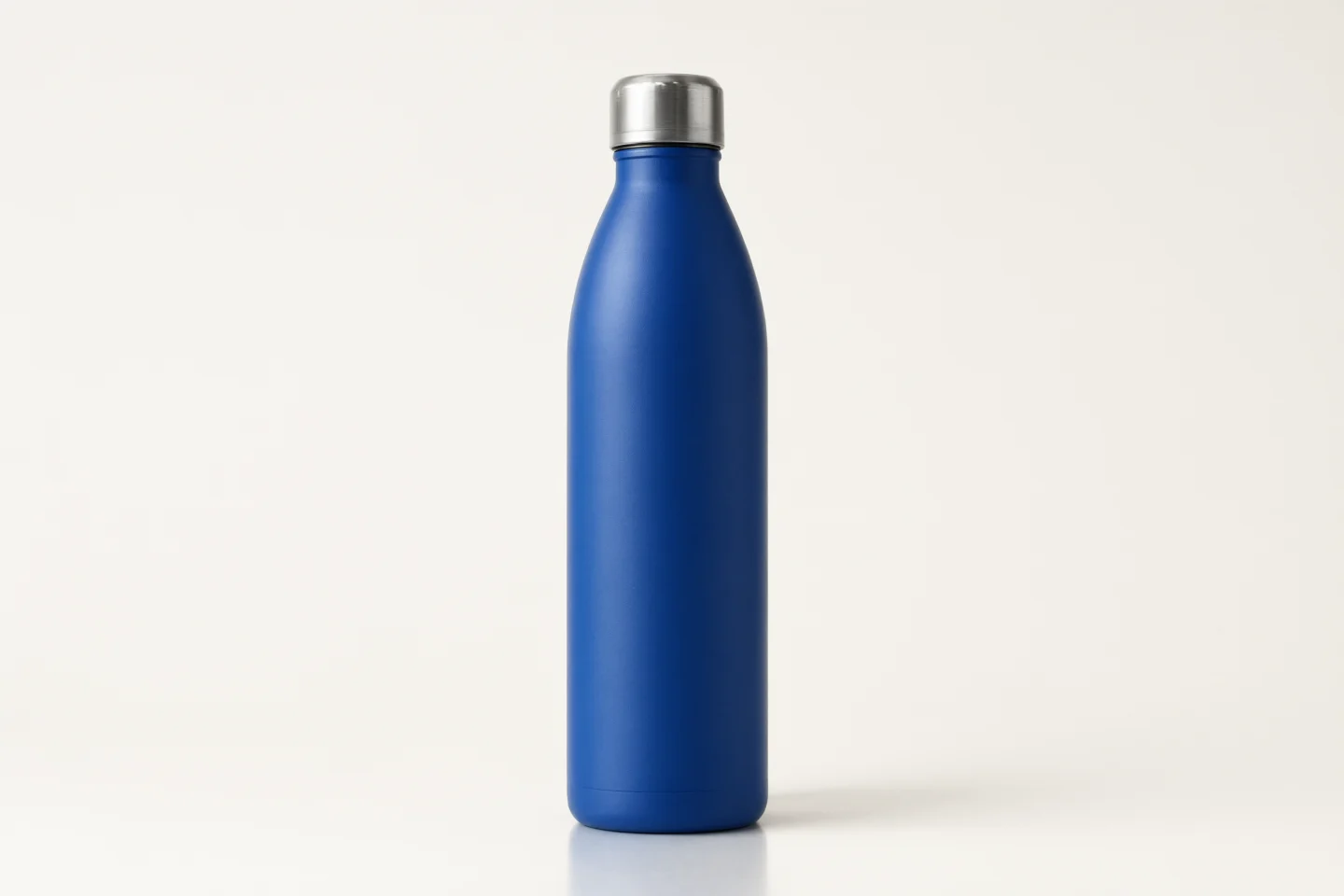
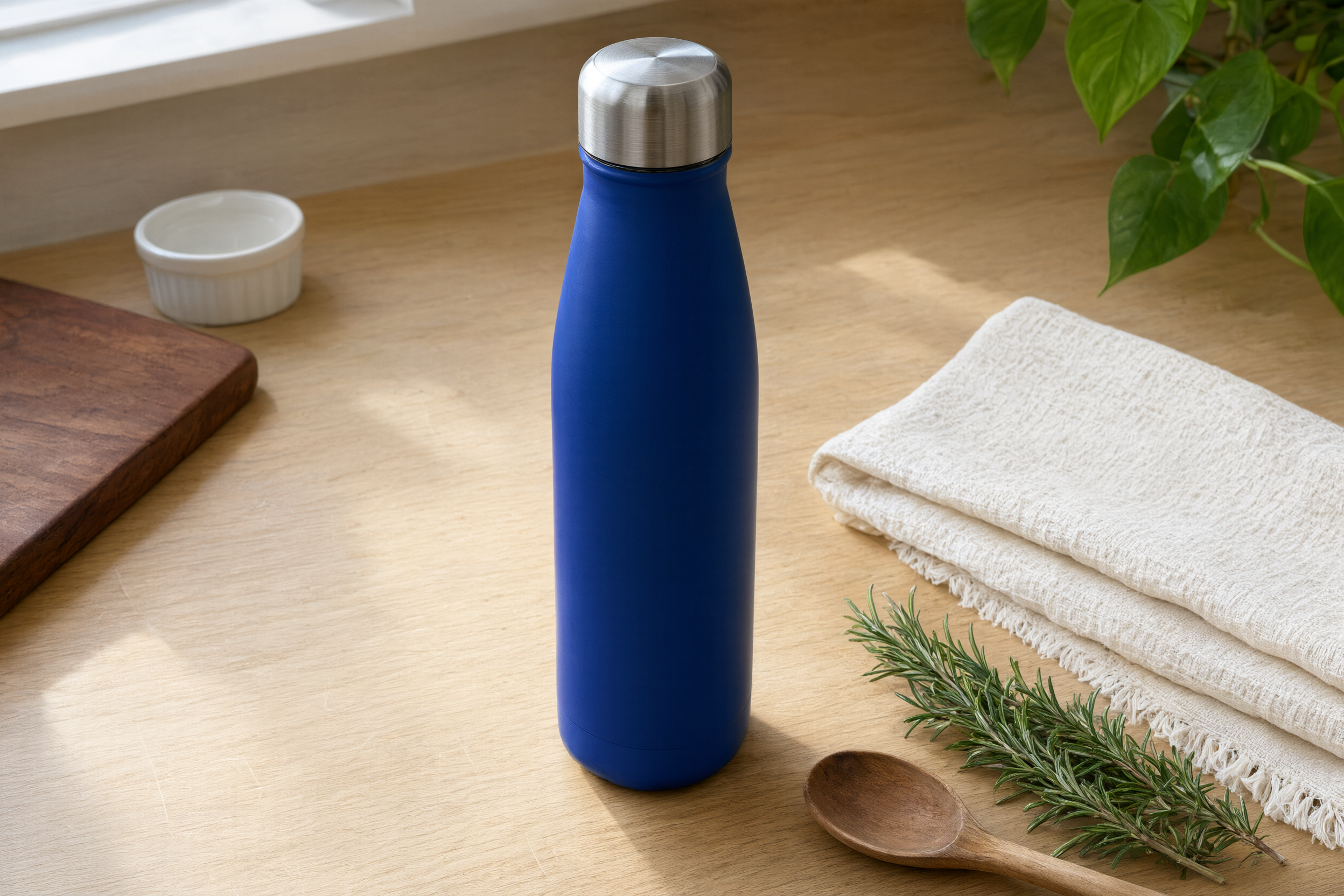
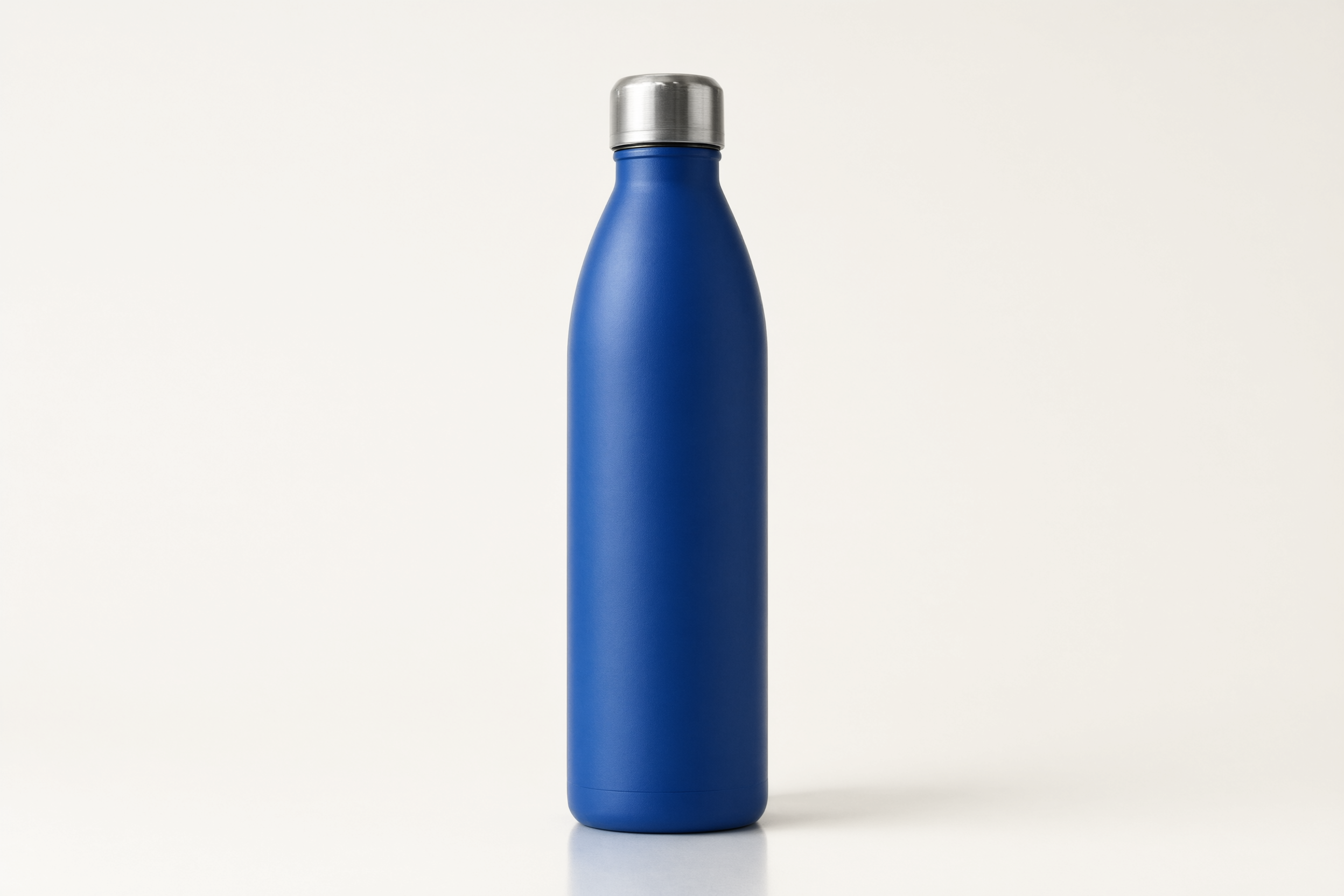
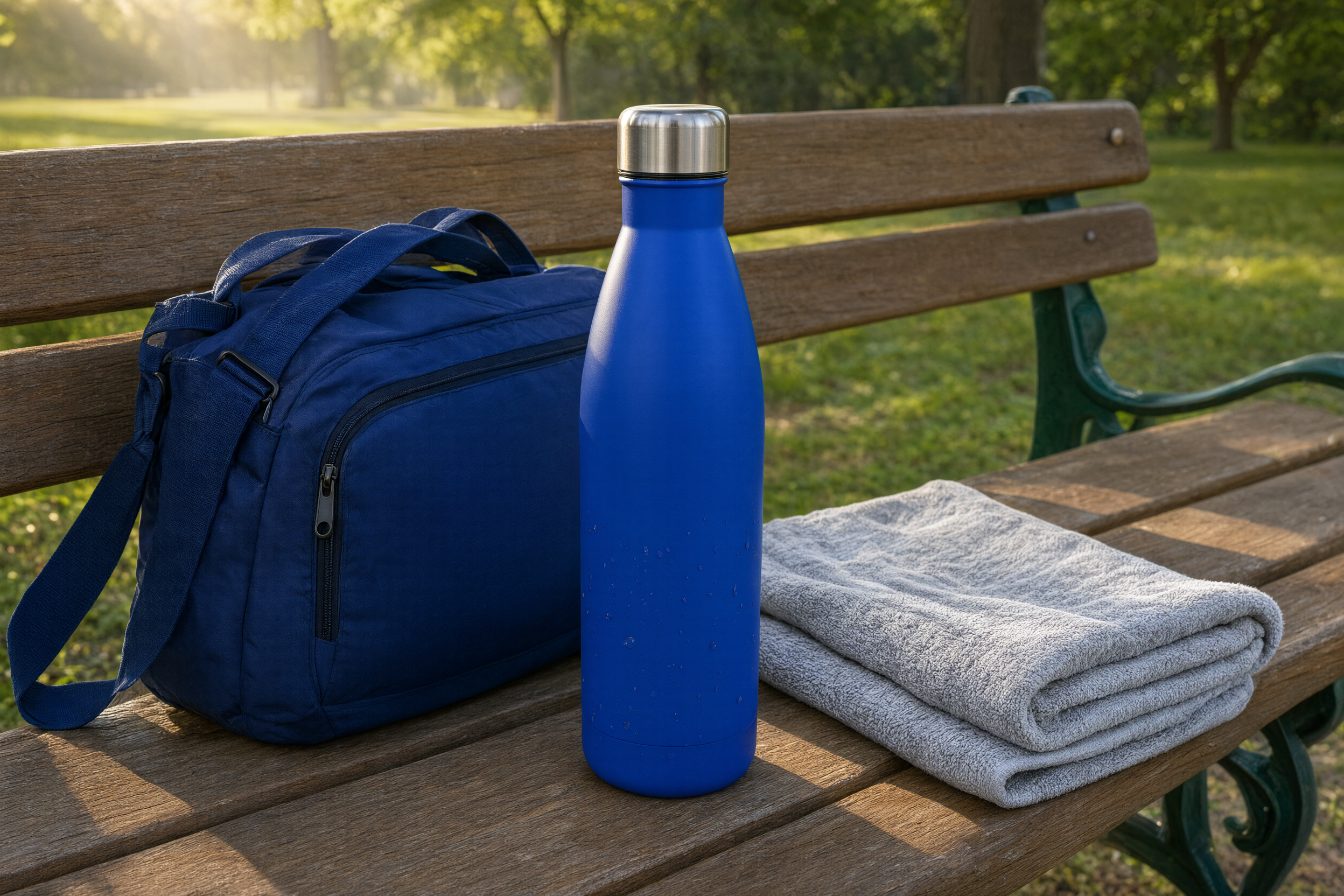
This checklist uses a cobalt blue insulated water bottle as a sample product made for this article. The same product needs different words in a counter photo, a clean catalog shot, and a lifestyle scene. That difference is where most catalog alt text goes wrong.
Before writing a description, ask what the image adds to the page. A product photo gives a shopper visual evidence. A close-up may show texture or a fastener. A lifestyle photo may explain scale or use. If the image repeats information already available in text and adds no useful detail, it may be decorative instead.
That distinction matters for accessibility. A screen reader should not announce the same phrase five times because a product gallery has five near-identical angles. Keep the first image descriptive, then make each additional description earn its place by naming what changes.
Google recommends standard image elements with a source URL so it can discover images. Its image SEO guidance also makes clear that page context, image quality, and crawlable image markup all matter. Product image alt text helps, but it cannot repair a weak product page or a hidden image.
Start with the item type. Then add the details that help distinguish it: color, material, pattern, size, style, or a visible feature. Do not write what the product might do unless the photo proves it. A bottle beside a towel does not prove it is leakproof, dishwasher safe, or insulated for a set number of hours.
For the sample product, “blue water bottle” is usable but incomplete. “Cobalt blue insulated water bottle with a silver screw cap” gives a shopper a clearer picture. The phrase names only details visible in the image.
A product title can be a useful starting point, but it is rarely the finished description. Titles often include a brand, a collection name, a color, and a capacity. An image description needs to say what a person would miss if the photo did not load.
| Weak description | Useful description | Why it works |
|---|---|---|
| Blue Bottle 24 oz Best Water Bottle | Cobalt blue insulated water bottle on a kitchen counter with a folded towel and wooden spoon | It identifies the item and the scene without a keyword list. |
| Water bottle product image | Cobalt blue insulated water bottle centered on an off white background | It tells a shopper what the main catalog image contains. |
| Running bottle image | Cobalt blue insulated water bottle beside a navy running bag and gray towel on a park bench | It preserves the lifestyle context that the photo adds. |
The weak examples are not wrong because they are short. They fail because they leave out the visual information. They also read like a product feed field instead of a description for a person.
Context is worth adding when it helps a shopper understand use, scale, or the difference between images. The kitchen counter image shows a casual home setting. The park-bench image suggests a carry-along use case. The clean studio image removes context on purpose so the product shape and color are easy to judge.
Do not describe every prop when it does not matter. “Cobalt blue insulated water bottle on a kitchen counter” may be enough for a smaller gallery. Add the folded towel and wooden spoon only when those details appear in the image and help distinguish it from another product photo.
Cut “image of,” “picture of,” and “product photo of” in most cases. A screen reader already announces the image element. Use that space for information instead. Also skip sales language such as “beautiful,” “premium,” or “best” unless the image itself contains a fact that supports the claim.
Keyword stuffing creates a worse experience. “Water bottle, blue water bottle, insulated bottle, sports bottle” tells a shopper less than one complete sentence. Shopify advises store owners to use concise, specific descriptions and to include keywords only when they accurately describe the image. Its image alt text guide is a useful check when a store team needs examples for product, lifestyle, and functional images.
Not every image needs a spoken description. A background flourish, a repeated divider, or an icon that duplicates nearby text can use an empty alt attribute. That tells assistive technology to skip it instead of reading a meaningless filename.
Be careful with product galleries. A second angle is usually not decorative if it reveals a handle, a closure, a texture, or the back of the item. Product image alt text should change with the visual detail. When two photos are truly identical, keep one useful description and avoid repetition elsewhere on the page.
Translate the meaning, not a list of keywords. A shopper in another market should hear the same product, color, and visible context in natural local language. Check local naming for product types, measurements, and colors before publishing. A literal translation can make a page sound strange or change the meaning of a material.
Keep the product data behind the translation consistent. If one market calls the item a flask and another calls it a bottle, the visible item, product title, and attributes still need to refer to the same catalog record. That consistency matters when stores publish the same listing to several channels.
Bulk editing is fast, but it invites copy-and-paste errors. Open the image beside the proposed description. Ask two simple questions: Could a shopper identify the product from this sentence? Does the sentence mention only what this image shows? If either answer is no, revise it.
Also check the rendered product page on a phone. A strong image description does not replace a clear product title, a readable price, or useful specifications. The page needs all of them. The guide to white-background product photos can help teams improve the main catalog view before they write descriptions for it.
Store the description with the image, not in a separate note that will be lost after launch. For each new product, make the workflow simple: approve the image, write the description, check it against the visible photo, publish it with the product record, then review it after any image replacement.
Product image alt text is a small field with a real job. It helps a product page keep meaning when images fail and gives search engines a clearer signal about what the page shows. Teams that need to apply the same checks across a large catalog can use Agerta to prepare product images, descriptions, and listing updates for review under the rules they set.
For more page-level checks, browse the E-commerce SEO category and compare image work with the right product description length for the purchase decision.
Your agentic office
Your Store Manager finds products missing photos, descriptions or details, writes titles and descriptions in every language you sell in, and prepares product photos and videos for your Shopify or WooCommerce store. Store changes wait for your approval until you let routine updates through.
E-commerce SEO
Prepare product images for Google Shopping with the right size, clean main photo, crawlable URL, and useful extra views.
Product Video
Use this product video checklist to plan clear listing clips that answer buyer questions, show real product details, and work on mobile.
Store Automation
Learn which product data audit checks to automate, which need human review, and how to fix listing gaps across an online store.